



Unlocking Advanced Tools in OnDemand3D: 3D Ceph & Fusion Modules2025-08-19 17:532,461 Views |
|
|---|---|
|
|
|
|
✨Explore the Features of OnDemand3D Want to get more out of OnDemand3D? Today, we’re highlighting two Add-on modules that can help you plan treatments more efficiently and take your skills to the next level. ▷ 3D Ceph Module
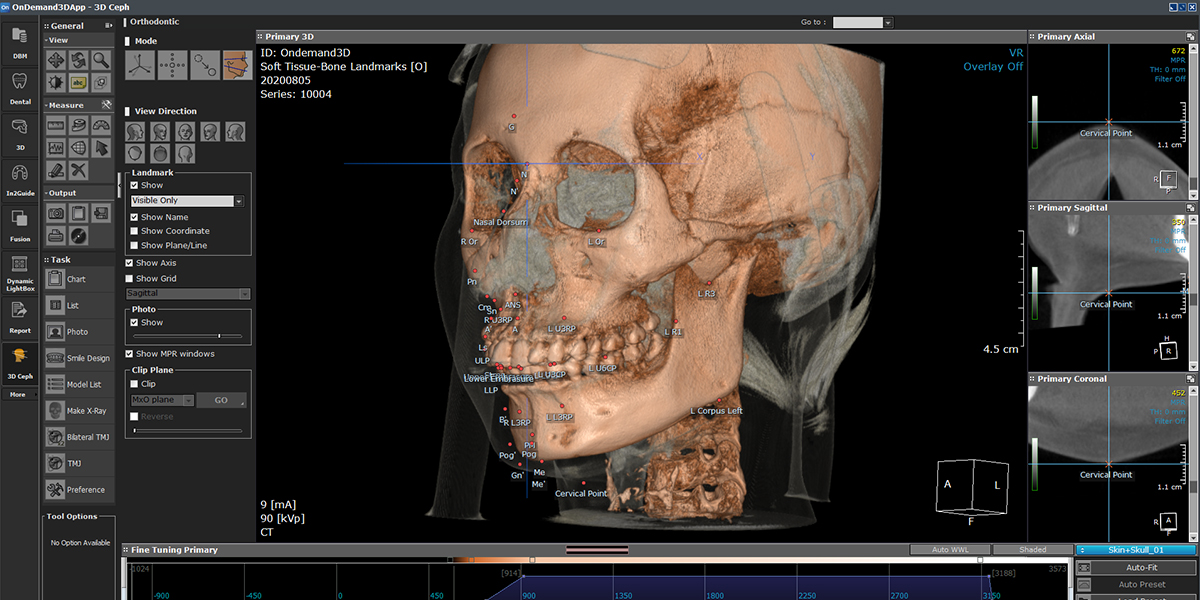
In 3D Ceph (Cephalometric) mode, users can calculate relationships between landmarks, lines, planes, and functions according to their specific needs in a three-dimensional setting, providing more precise and accurate values. Here are 5 features of the 3D Ceph module to try: 1. SNA,SNB & ANB Landmarks Analysis Place the SNA, SNB, and ANB landmarks, then use the ‘Chart’ tool to view analysis values. 2. Soft Tissue-Bone Landmarks Placement Soft tissue and bone are combined in a full skull model, offering a broad set of landmarks for cephalometric analysis. 3. Superimposition Superimposition of pre- and post-treatment data for detailed cephalometric tracing and evaluation. and full color options in MPR Fused windows for enhanced visual analysis. 4. Pre&Post Treatment Comparison Compare pre- and post-treatment volumes using Dr. Cho’s Analysis chart, with available landmarks and measurement differences. 5. X-Ray Generation Generate 2D X-rays (panoramic and lateral) for static interpretation. Create soft tissue profilography and view polygonal charts for analysis. ▷ Fusion Module
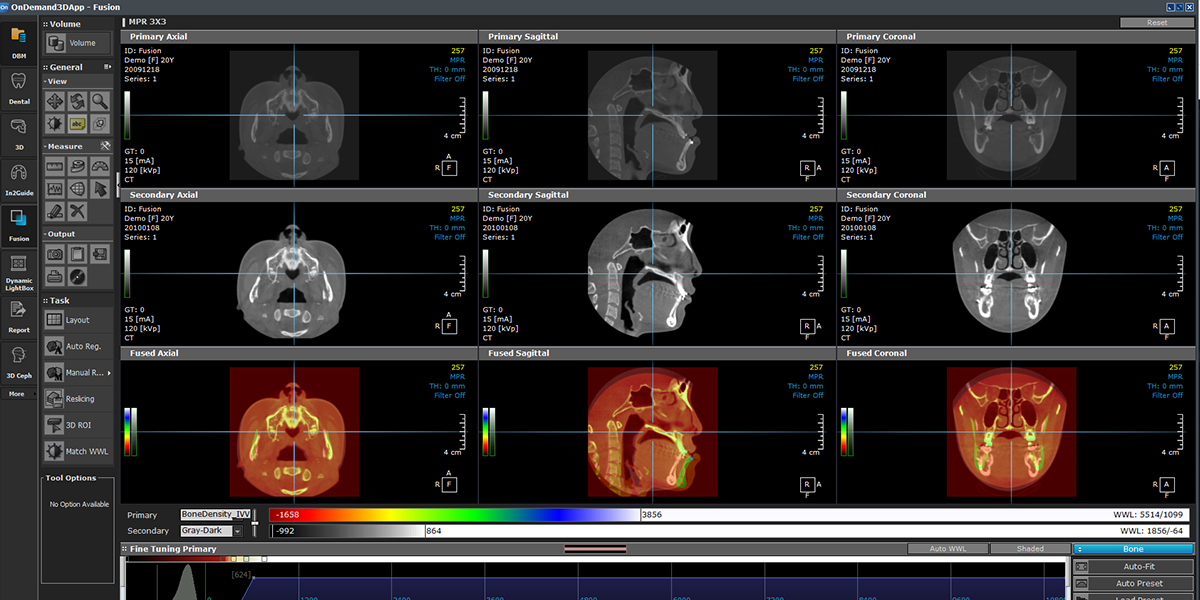
The Fusion module is a powerful visualization tool that stitches data, providing MPR views of Primary, Secondary, and Fused datasets which can be resliced into new DICOM files, saving to either the Master or Private DB via the DBM module.
|
|
| 첨부파일 | |
-
이전글
-
다음글